Playtest screenshots
Swipe or scroll to see all 2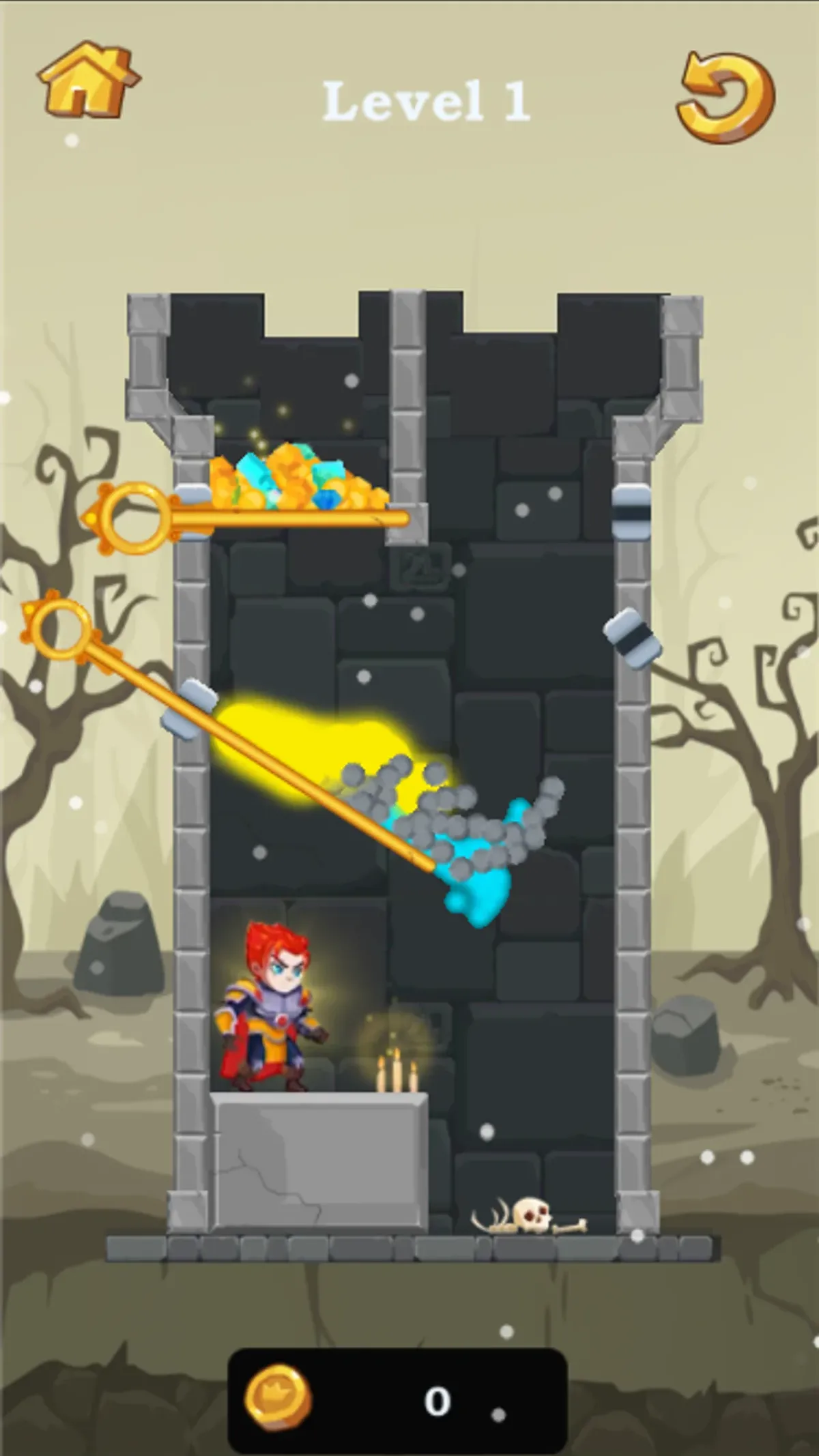
About Hero Rescue Puzzle
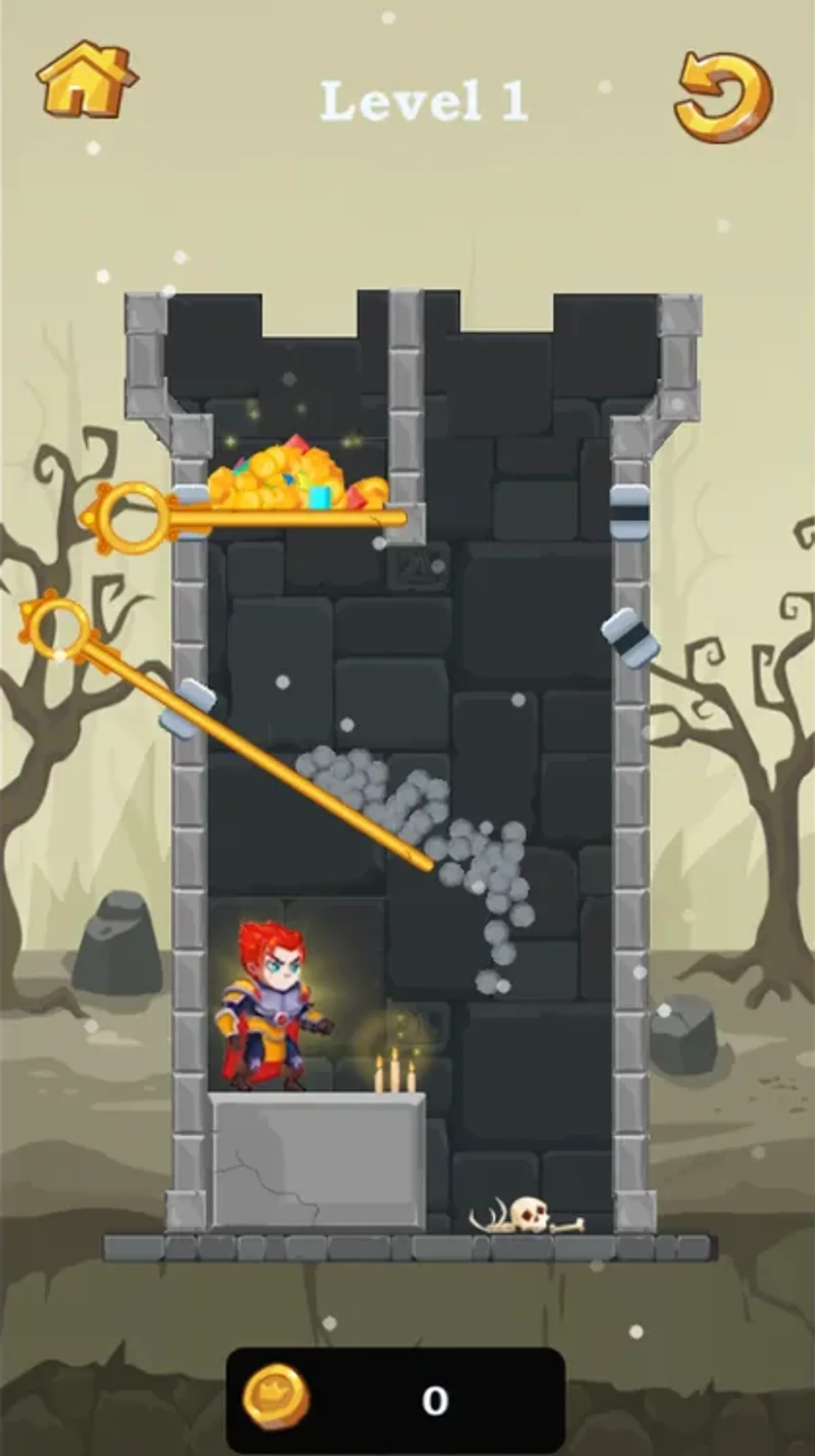
Pull a pin by its round handle in Hero Rescue Puzzle. The first board puts a red-haired knight beneath a stone tower divided by four gold pins. Coins and colored gems occupy the upper-left pocket, blue fluid fills the upper-right pocket, and yellow fluid rests above two crossed diagonal pins. A counter at the bottom starts at 0.
Select Start to enter level 1. In both tested views, removing the upper-right horizontal pin let the blue fluid descend onto the right diagonal pin. Removing that diagonal next changed the arrangement again: blue fluid moved lower and gray particles appeared around the yellow fluid, then fell down the right side. The remaining diagonal still crossed the tower. These are observed moves, not a verified route to collecting the treasure or finishing the level.
The circular arrow at the upper right provides a way to try again without leaving the board. A native touchscreen tap and a desktop mouse click each restored the four pins, separated fluid pockets and counter 0. Keep track of which chamber a pin holds before pulling it, and use that reset to return to the tested starting layout. We did not test every pin order, a win or loss screen, later levels or progress after reloading. The portrait board is centered within the available screen. Our network guard denied ad traffic throughout these sessions; advertising during an ordinary visit was outside this check.
Controls
| Action | Desktop | Mobile |
|---|---|---|
| Start level1 | Click START. | Tap START. |
| Remove a tested pin | Click its circular ring: upper-right horizontal then right diagonal were tested. | Tap its circular ring: upper-right horizontal then right diagonal were tested. |
| Reset level1 | Click the upper-right circular arrow. | Tap the upper-right circular arrow. |
Why it's Chromebook-friendly
Native touchscreen taps and desktop mouse clicks opened Level 1, removed the upper-right horizontal and right diagonal pins, and changed the blue/yellow fluid arrangement with gray particles descending. The in-level circular-arrow reset restored four pins, separated fluids and counter 0 in both views. Treasure collection, a win or loss screen, later levels and post-reload persistence were not verified. The portrait runtime board fits both viewports; ordinary ad behavior was unassessed because requests were blocked.
More to explore
The stored scan marked this title Chromebook-friendly; its playtest included both required viewports and recorded mouse controls.
The latest stored technical scan recorded a 2.9 MB core package, below the 5 MB collection threshold.
Having trouble? Report a problem. Reloading may reset your progress.