Why it's Chromebook-friendly
The saved scan measures a 1.3 MB Construct 3 core. Touchscreen dragging placed three shapes, and mouse dragging placed a three-block piece in the tested browser profiles. Neither session required a login or separate download. Clearing bonuses, a full-board ending and restarting remain unverified.
About Koko Loco Block Blast
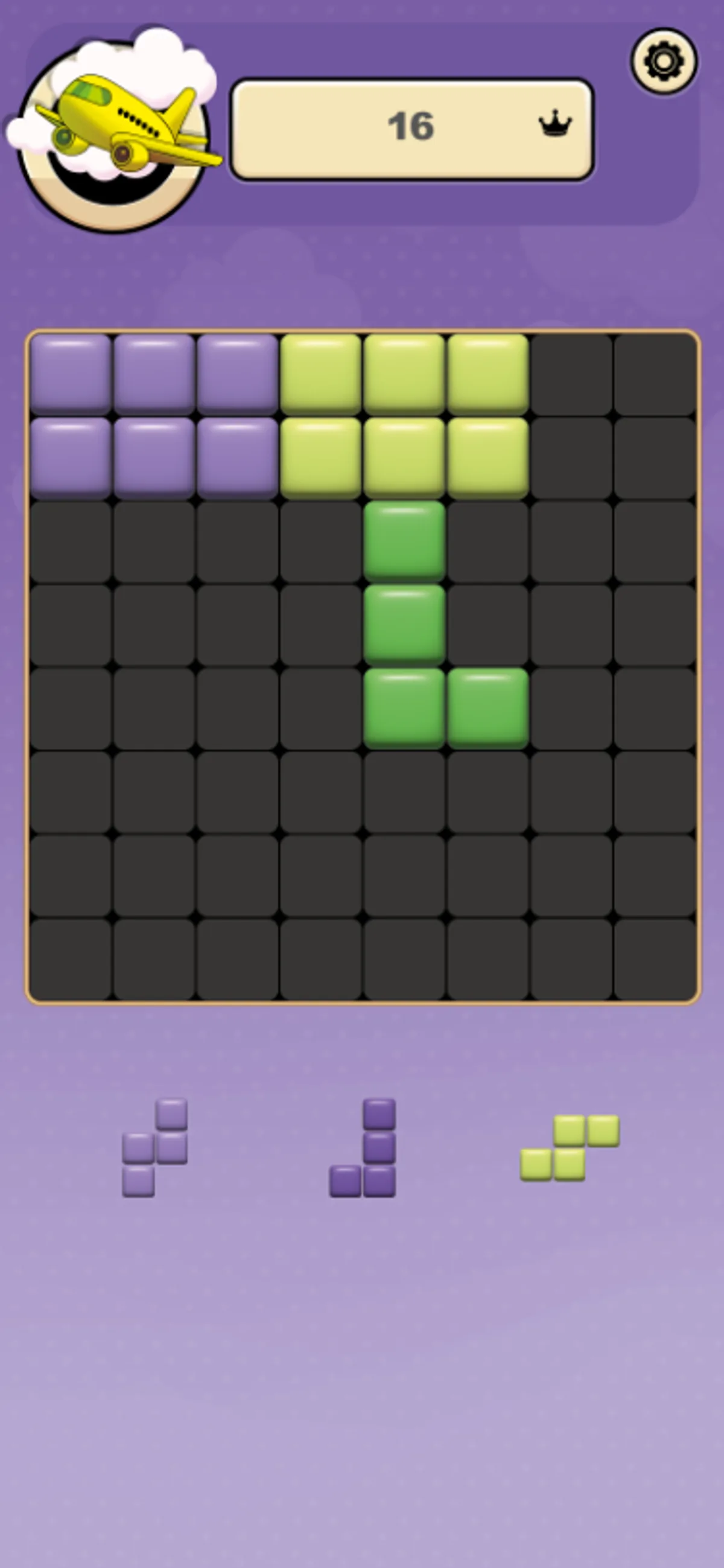
Drag a block shape from the tray onto the grid in Koko Loco Block Blast. The board gives you open cells to arrange the pieces, with the score above and the remaining shapes below. In our touchscreen session, a purple rectangle covered the top-left six cells and brought the score to 6. A second six-block rectangle fitted alongside it, raising the displayed total to 12. Together, they occupied the first six columns of the top two rows, leaving space beneath them for another shape.
The green L-shaped piece needed a second attempt. Its first drag left it in the tray with the score unchanged; moving it below the two rectangles placed all four blocks and took the score to 16. That lower space worked for this particular arrangement, without moving the pieces already on the board. Once those three shapes had been placed, the tray supplied three new ones. The screenshots show the original pieces still in position above the fresh selection.
Mouse dragging also placed a piece: the desktop session put a yellow three-block row into the top-left corner, changing the score from 0 to 3 while two shapes remained available. The two sessions used different color themes and starting pieces, so the pictured opening is an example to follow rather than a fixed sequence. We tested these opening placements, but have not verified row clearing, combos or a full-board ending.
Controls
| Action | Desktop | Mobile |
|---|---|---|
| Place a shape on the grid | Drag a shape from the lower tray onto empty grid cells. | Drag a shape from the lower tray onto empty grid cells. |
Playtest screenshots
Swipe or scroll to see all 2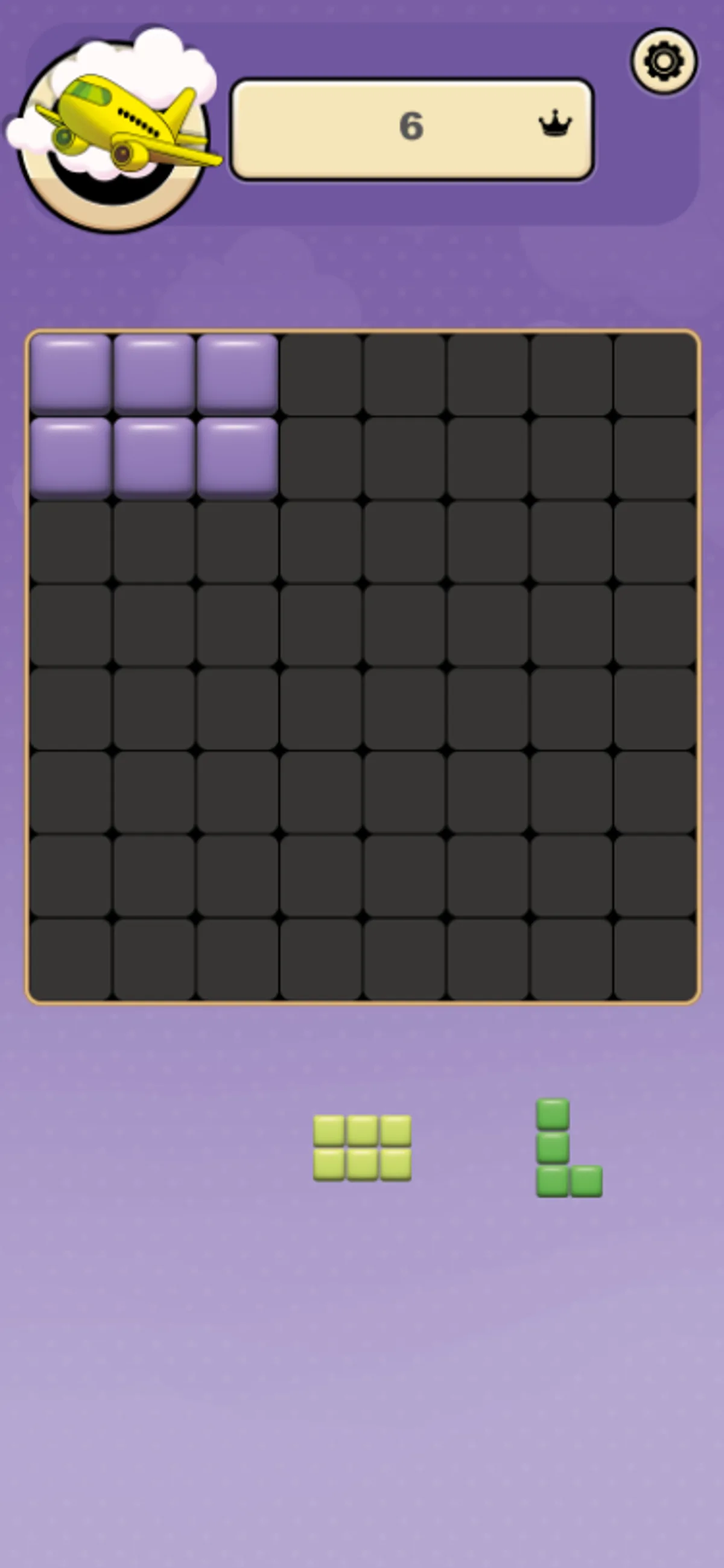
More to explore
The stored scan marked this title Chromebook-friendly; its playtest included both required viewports and recorded mouse, touch controls.
The latest stored technical scan recorded a 1.3 MB core package, below the 5 MB collection threshold.
Having trouble? Report a problem. Reloading may reset your progress.